Recently when my mom got a new phone, I wanted to remove some system applications from the phone which are bloatware. Now doing this with a laptop is fairly easy, we can just use adb to uninstall, however the task becomes difficult if you cannot use a PC.
Found a way to do this via Shizuku + Hail:
- Install Shizuku
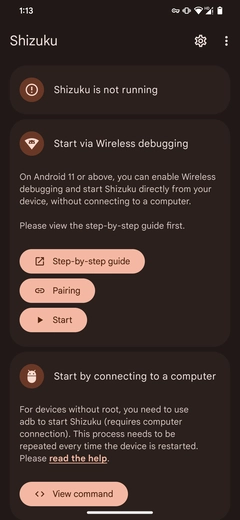
- Starting with android 11, you can use ADB on the device without using a PC. You’ll have to enable wireless debugging first and then connect the app through the wireless debugging.
- Go to
About phone -> build numberand keep clicking it to enable developer mode - Once enabled, search for
wireless debuggingin settings -> enable that -> click on the left side of the panel to go insidewireless debugging - Open
Shizukuand click onpairingunder wireless debugging - Give notification access
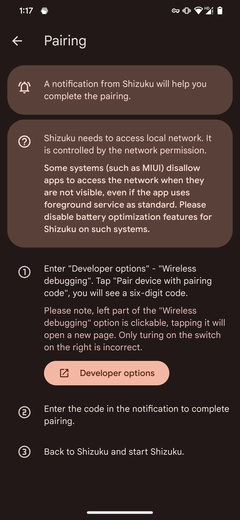
- Click on
developer options-> go towireless debugging-> pair device with pairing code -> note down the pairing code - Give that code in the notification bar -> pairing should be successful
- Go back to the home screen in
Shizukuand click onStart- If you get the following error, simply restart
Shizuku: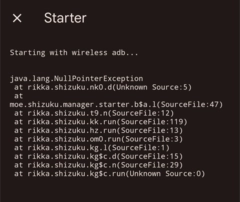
- If you get the following error, simply restart
- Shuzuku should be running now.
- Install
Hail-> go to settings -> click onworking mode-> selectShizuku - Disable-> Allow all the time - Go to
Appsfrom the bottom navigation inHail-> select the system apps you want to freeze -> go back to home after selecting these apps- By default only User apps are listed. Click on three dots and select system apps to list all apps
- Click on the right hand corner icon to freeze these apps. Voilà, all these system applications should be disabled.